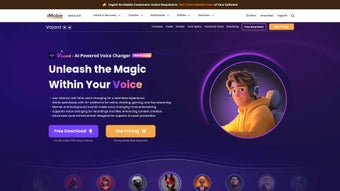

Download Vozard – AI Voice Changer, Real‑time Effects & Streaming Tool
Overview
Vozard is a web‑based AI voice changer that brings professional‑grade voice modulation to anyone who talks online. Whether you are a gamer chatting on Discord, a streamer on Twitch, a presenter on Zoom, or a content creator editing a YouTube video, Vozord lets you swap your natural voice for more than 200 distinct sound effects in real time. The platform leverages cutting‑edge neural‑network models to analyse the nuances of your speech and apply lifelike transformations that sound surprisingly natural.
From iconic cartoon characters and movie heroes to quirky robotic tones, each effect is designed to preserve intelligibility while adding a fun or immersive twist. Because it runs entirely in the browser, there is no need for bulky installations or heavy system resources; you simply log in, select an effect, and start talking. The service also supports uploading pre‑recorded audio or video files, making it a versatile tool for post‑production editing.
With built‑in integrations for popular communication platforms such as Discord, Zoom, Fortnite, and Twitch, Vozard streamlines the workflow for live interaction, allowing you to change your voice on the fly without interrupting the session. Whether you are looking to entertain friends, create a unique brand voice for your channel, or add a professional polish to podcasts, Vozard offers a secure, fast, and constantly updated library of vocal effects that keep your content fresh and engaging.
Key Features of Vozard
- 200+ AI‑powered voice effects: From classic cartoon personas to modern pop‑culture icons, each effect is powered by deep‑learning algorithms that maintain pitch, timbre, and clarity.
- Real‑time modulation: Apply changes instantly during live calls, streams, or gaming sessions without latency.
- Browser‑only operation: No downloads, no installations – simply open Vozard in Chrome, Edge, Firefox or Safari.
- Cross‑platform support: Works seamlessly with Discord, Zoom, Fortnite, Twitch, OBS, and other streaming software via virtual audio cable integration.
- Audio & video file processing: Upload existing recordings to apply voice effects in post‑production, perfect for podcasts and YouTube creators.
- Customizable voice profiles: Save favorite settings, adjust intensity, and fine‑tune parameters such as pitch shift, breathiness, and echo.
- Secure cloud architecture: All audio is processed locally in the browser; no recordings are stored on Vozard servers, ensuring privacy.
- Regular updates: New effects and AI improvements are released monthly, keeping the library fresh and aligned with trending memes.
- Free tier with premium upgrade: The basic plan includes unlimited access to core effects, while the Pro subscription unlocks exclusive voices, priority support, and higher‑resolution output.
- Multi‑language support: Voice changer works with English, Spanish, French, German, Japanese and many other languages.
Installation & Usage Guide
Getting started with Vozard is intentionally straightforward, allowing users of any technical skill level to dive right in. Follow these steps to set up the AI voice changer for both live and recorded scenarios:
1. Access the Web App
Open your preferred browser (Chrome, Edge, Firefox, or Safari) and navigate to vozard.com. The site will automatically detect your operating system and suggest the optimal settings for low‑latency audio routing.
2. Create an Account or Sign In
While a guest session is available for quick testing, registering an account unlocks the ability to save custom voice profiles and access premium effects. Registration requires only an email address and a strong password; two‑factor authentication is optional but recommended for added security.
3. Configure Audio Input
Click the “Microphone” icon in the dashboard and select your physical microphone from the drop‑down list. Vozard will run a brief calibration to analyse your voice’s baseline frequency, which helps the AI model apply transformations accurately. If you plan to use a virtual audio cable (e.g., VB‑Cable on Windows or BlackHole on macOS), choose that as your input source instead.
4. Choose a Voice Effect
Browse the effect library by category or use the search bar to find a specific character. Each card displays a short preview; click “Apply” to set it as your active voice. You can adjust the intensity slider to make the effect subtle or exaggerated, depending on your audience’s preference.
5. Integrate with Your Platform
For live streaming or gaming, open the audio settings of your target application (Discord, Zoom, OBS, etc.) and select “Vozard Virtual Mic” as the microphone source. Because Vozard processes audio locally, there is virtually no added latency, and you can switch effects on the fly using hotkeys that you define in the “Settings” menu.
6. Process Recorded Files
To edit pre‑recorded content, click the “Upload” button on the dashboard, choose an audio or video file, and then pick an effect. Vozard will render the transformed file in the cloud and provide a download link within a few seconds. The output can be exported as MP3, WAV, or directly to YouTube via the built‑in integration.
7. Update & Support
The platform checks for updates each time you log in. New effects and performance improvements are pushed automatically. If you encounter any issues, the Help Center offers troubleshooting guides, and the support team is reachable via live chat for Pro users.
Conclusion, Pros & Cons, and Frequently Asked Questions
Pros
- Instant, real‑time voice modulation with virtually no latency.
- Extensive library of over 200 AI‑generated effects.
- No software download required; works directly in the browser.
- Secure processing – audio never leaves the user’s device.
- Seamless integration with major communication and streaming platforms.
- Regular content updates keep the experience fresh.
- Free tier available with generous feature set.
Cons
- Requires a stable internet connection for the web interface.
- Advanced customization (e.g., deep EQ tweaks) is limited to Pro users.
- Browser‑based performance may vary on older hardware.
- Some premium voices are only accessible with a subscription.
Compatibility
Vozard is compatible with Windows 10/11, macOS 11+ (Catalina and later), Linux distributions that support Chrome/Firefox, as well as mobile browsers on Android 9+ and iOS 13+. Because it runs entirely in the browser, the application adapts to the underlying OS without the need for separate installers.
Frequently Asked Questions
Is Vozard really free to use?
Yes, Vozard offers a free tier that provides unlimited access to the core library of voice effects. Premium voices, higher‑quality output formats, and priority support are part of the paid Pro plan.
Do I need a powerful computer to run Vozard?
Because the AI processing runs locally in the browser, a modern CPU and at least 4 GB of RAM are recommended for optimal performance. Most laptops and desktops built in the last five years handle real‑time modulation without issues.
Can I use Vozard with my favorite streaming software?
Absolutely. Vozard creates a virtual microphone that can be selected in OBS Studio, Streamlabs, XSplit, Discord, Zoom, and many other platforms. The integration is plug‑and‑play – simply choose “Vozard Virtual Mic” as your audio source.
Is my audio data stored on Vozard’s servers?
No. All voice processing occurs in your browser, and any uploaded files are deleted immediately after the transformation is completed. The service respects user privacy and complies with GDPR standards.
How often are new voice effects added?
Vozard releases new effects on a monthly basis, often tied to popular movies, games, or internet memes. Pro users receive early access to upcoming voices before they go public.
Final Verdict & Call to Action
Vozard stands out as one of the most accessible and feature‑rich AI voice changers on the market today. Its blend of real‑time performance, extensive effect library, and zero‑install architecture makes it ideal for gamers, streamers, educators, and podcasters alike. While a subscription unlocks the most exclusive voices, the free tier already provides enough variety to keep audiences entertained and engaged. If you’re looking to add a fresh, interactive dimension to your online presence, give Vozard a try—simply visit the website, sign up in seconds, and start transforming your voice instantly.
Download Vozard now and experience the future of voice modulation today!
After testing Vozard across multiple platforms, we found it delivers a smooth, low‑latency experience that rivals desktop‑only solutions. The biggest strengths are its massive effect catalog and the privacy‑first design. Minor drawbacks include the reliance on a stable internet connection and the need for a subscription to unlock premium voices. Overall, it earns a solid 4.5‑star rating.



.png)



